About this tool:
This is a free open-source tool to help you calculate the number of hours you worked on a project from an iCalendar .ics file export.
Click 'upload your calendar' in the navigation bar to upload your calendar file, if you already know how to use this tool. Otherwise, see below for an example!
1. Example Calendar
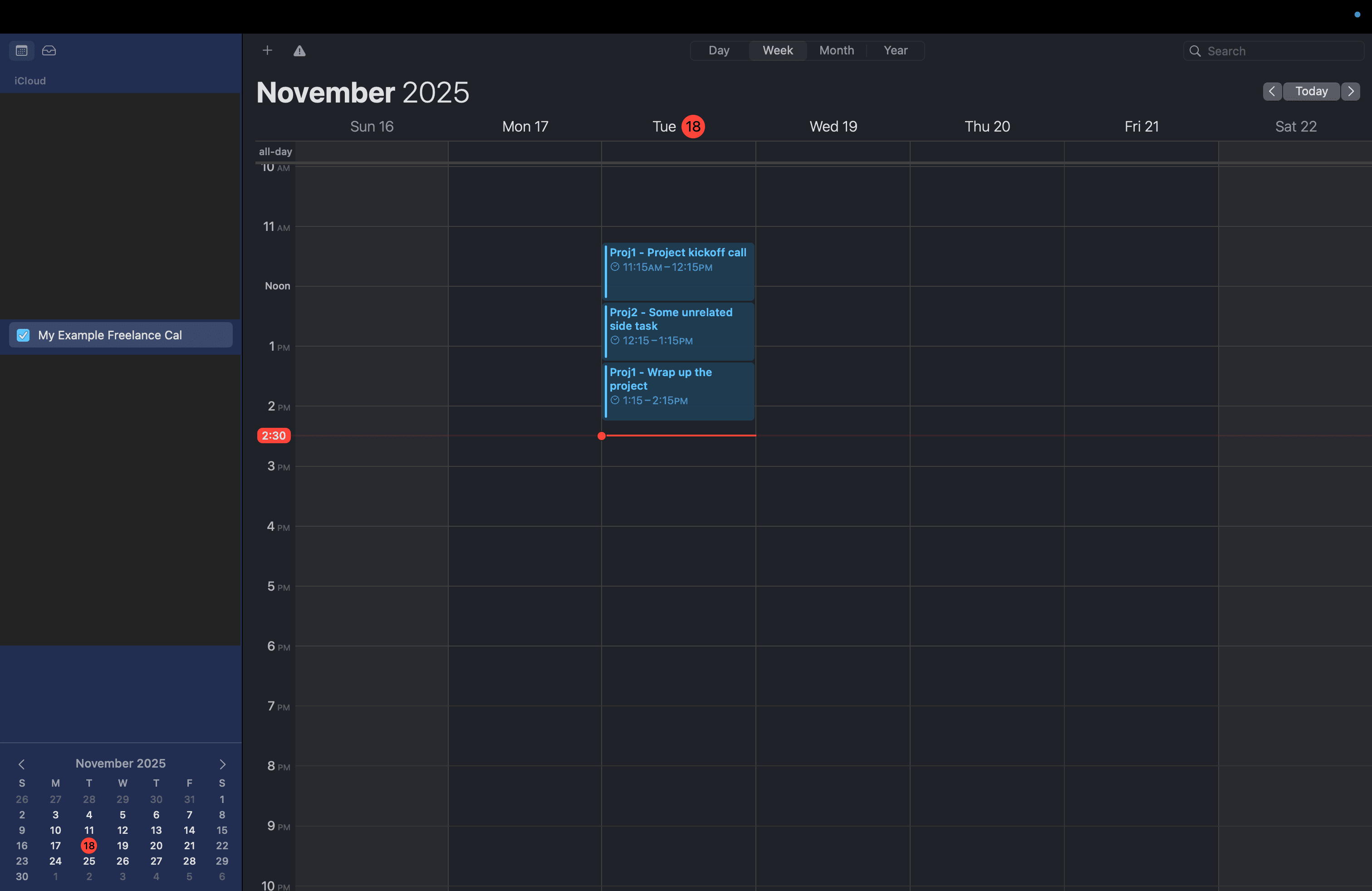
This is an example calendar showing how you might have a 'work calendar' with events for multiple different projects.
2. Export your calendar
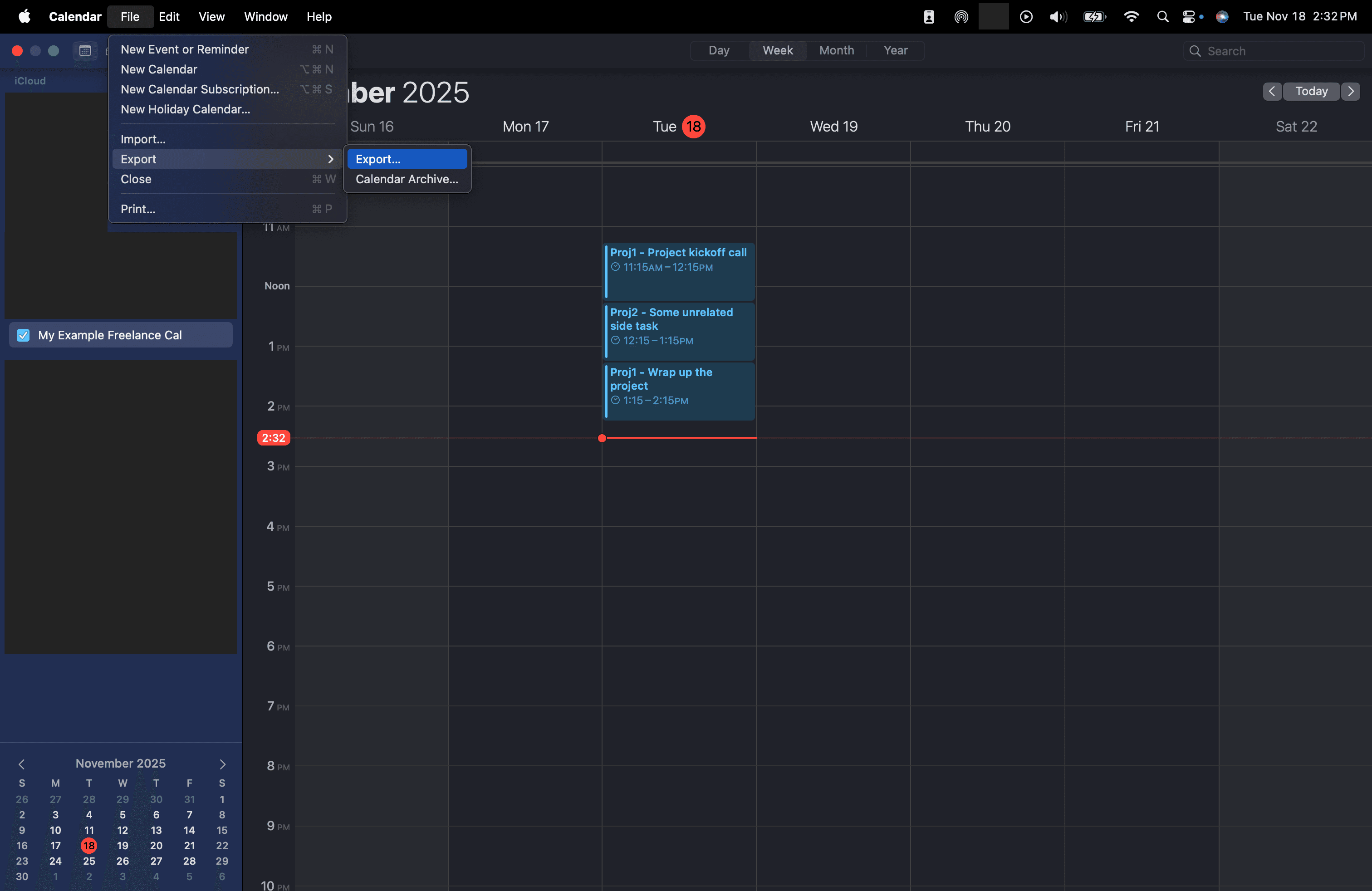
In iCalendar, you can press 'File' > 'Export' > 'Export' to export the selected calendar to .ics format.
3. Save your calendar somewhere
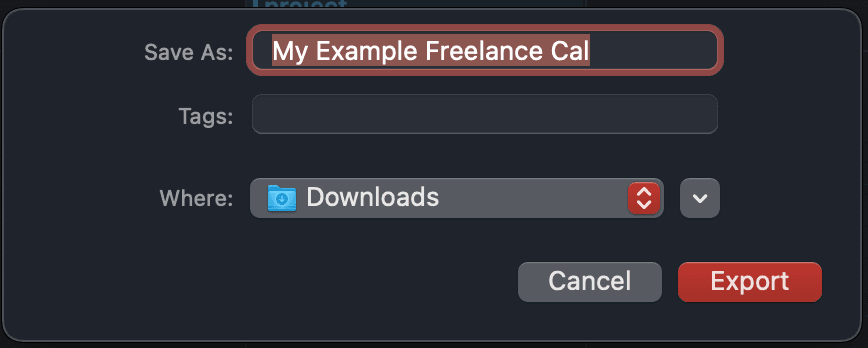
Save your .ics calendar export somewhere, such as your desktop or cloud storage.
4. Upload your .ics file and apply filters
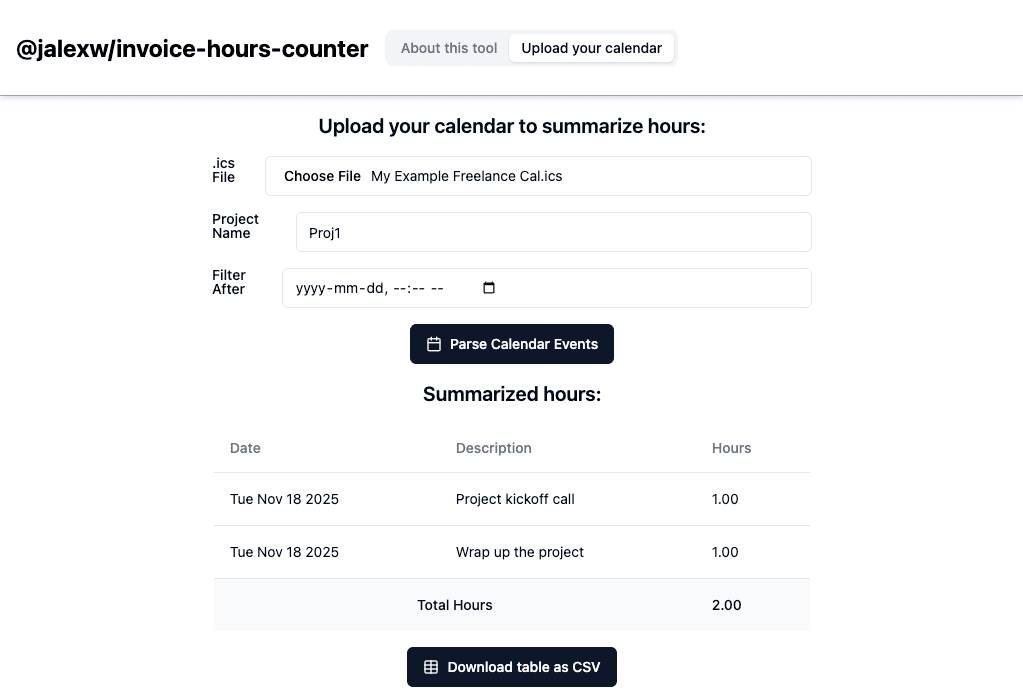
Navigate to the 'upload your calendar' / 'upload' tab from the navigation bar at the top of this webpage. Upload your .ics file, apply any desired filters, and click the 'Parse Calendar Events' button! A table will be generated summarizing your hours on the project. Note that in this example only 'Proj1' hours appear-- the one 'Proj2' event has been filtered out! You can also export this table into a comma-separated values (CSV) file, that you can open in Excel/Numbers/Google Sheets!